Accessing your Mobile app
How to access, view, and download your mobile app from Studio Voglino. Please reach out if you have any questions or need further guidance.
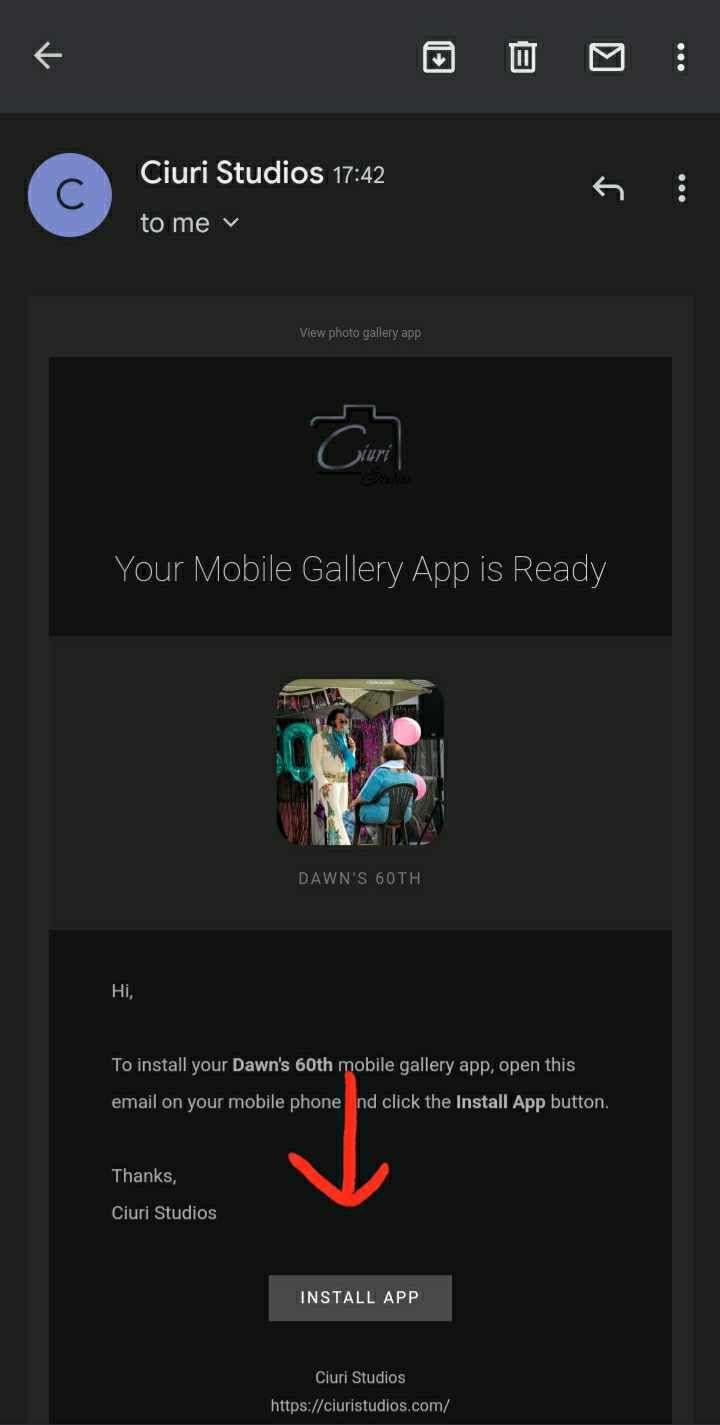
STEP ONE
Find your email from Studio Voglino, open it on your phone or wherever you are installing the app, tap INSTALL APP
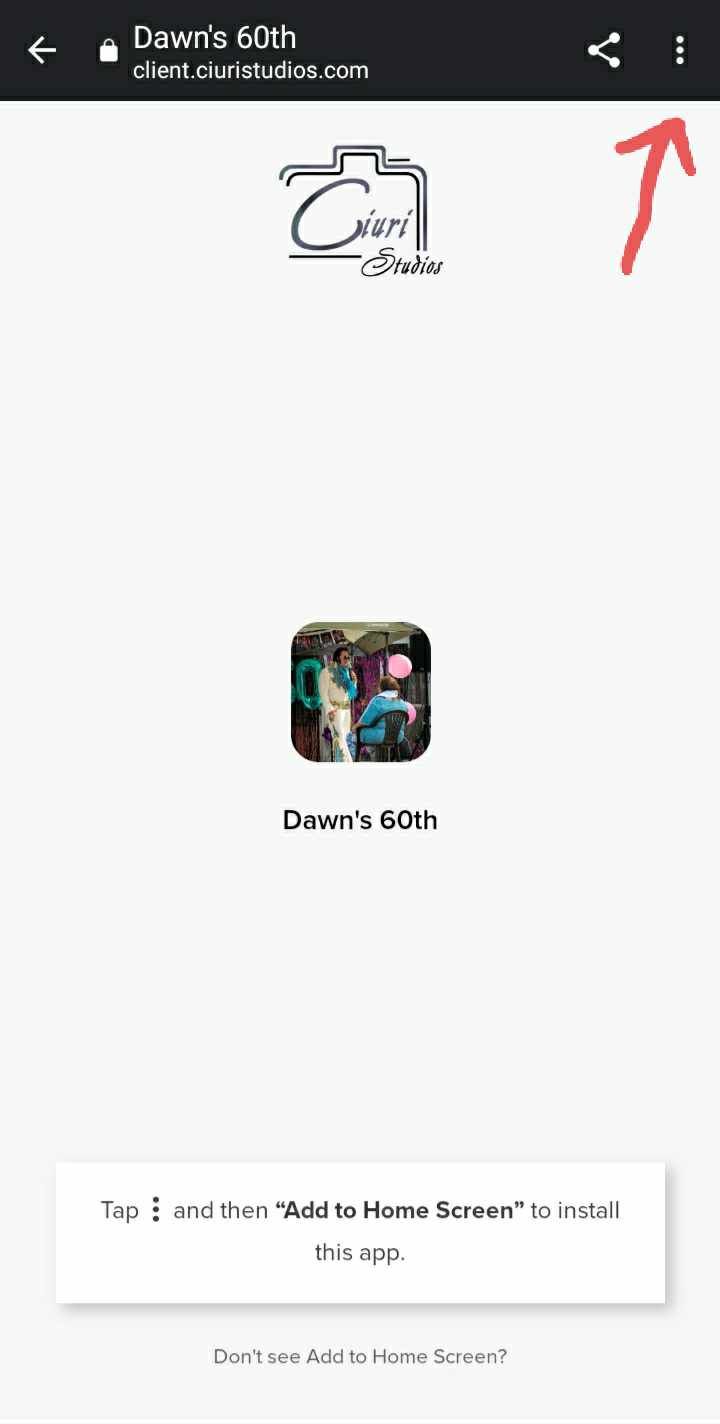
STEP TWO
Tap on the three dots at the top right of the screen
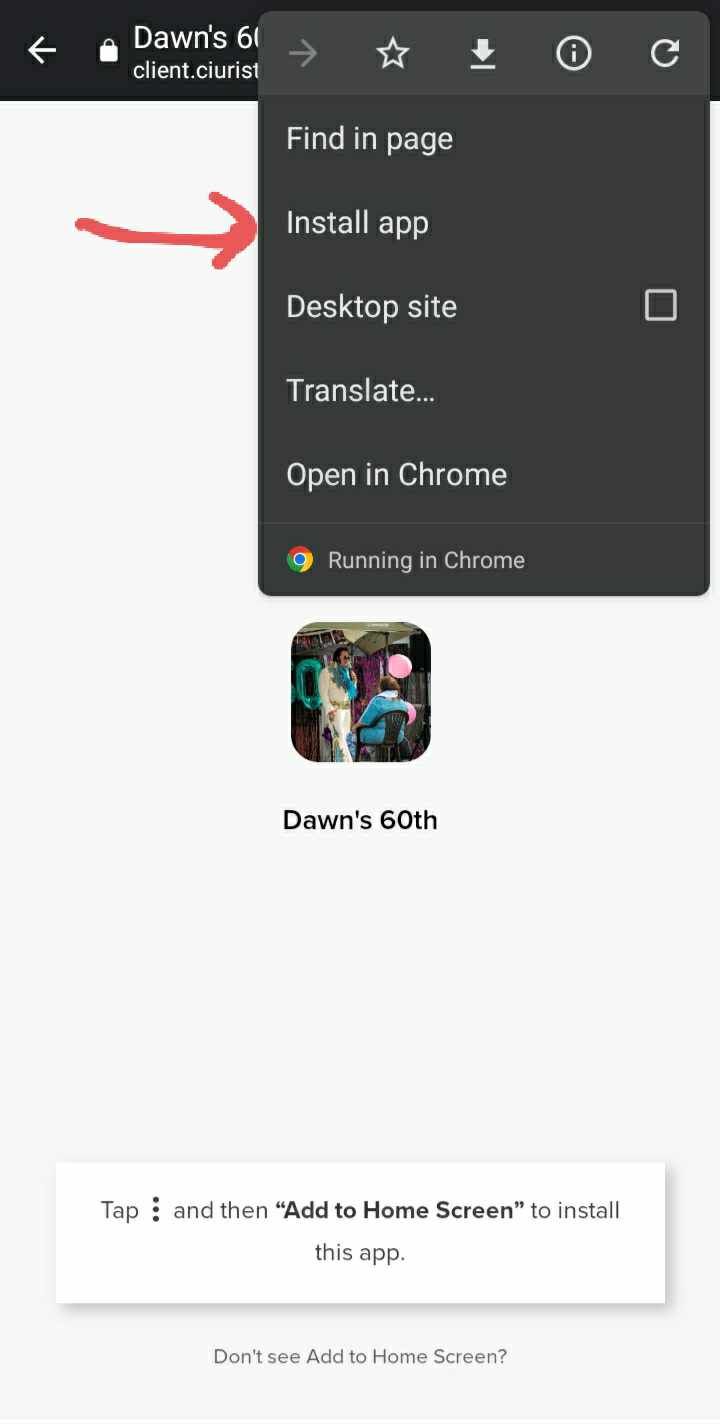
STEP THREE
In the menu it will either say "Add to Home Screen" or "Install App" you will tap on whichever you see on your screen
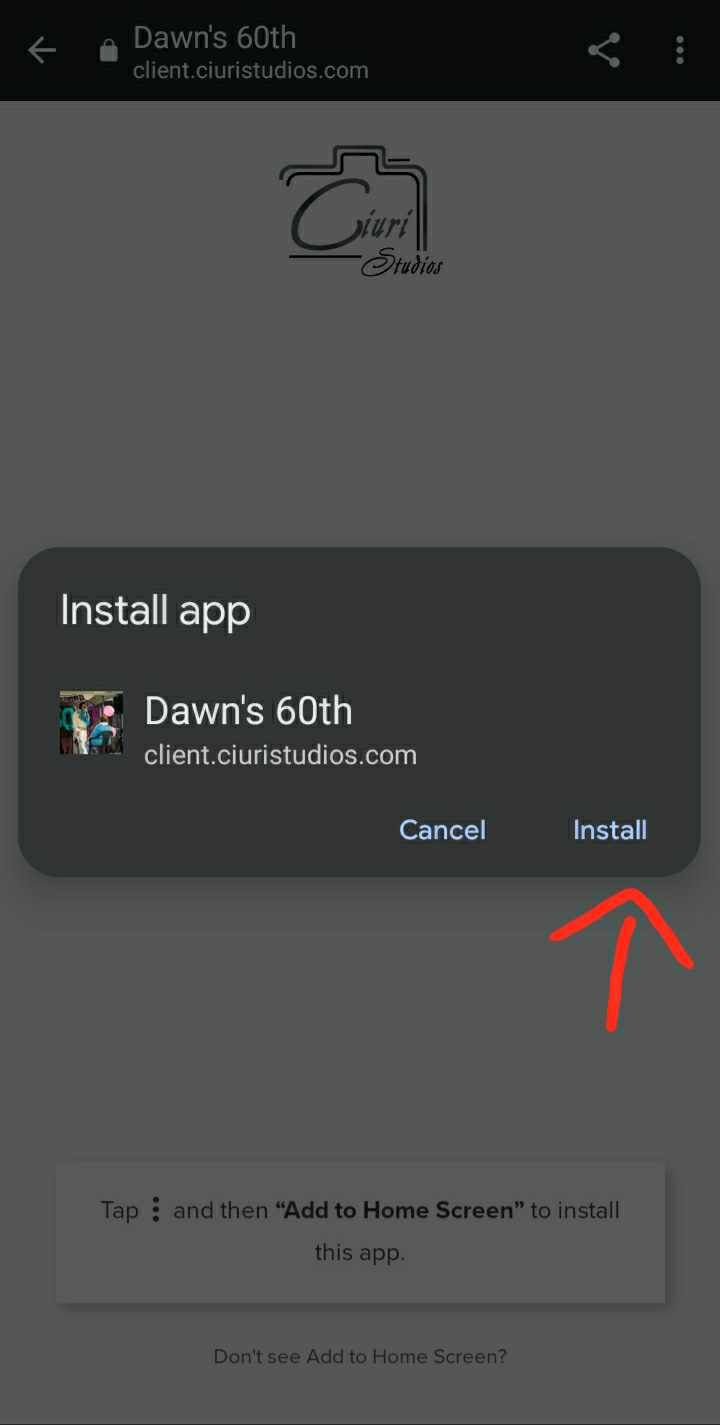
STEP FOUR
Tap Install!
You're set!
Once the app finishes installing, you simply tap on it to open it! From there you can see all of your digital photos you've purchased from your session, access a link to view the online gallery page, share the app with friends and family, view our print store, and so much more!